
Goodlight · Bulho Labs
Photographing your rental with a phone
How to shoot every room and order the gallery on Airbnb and Booking.com, with what the studies and 20,000 Portuguese photos show.
19,964 photos analysed · Portugal · Nov 2026
Edition · November 2026
Before you start
This guide is for people who run one or two holiday rentals and take the photos themselves, on a phone. You don't need a camera, a tripod or editing software. You need a morning with good light, a tidy home and a few simple rules.
Every claim carries a number in square brackets, like [1]. It points to the source list at the end, where each source has a tag: official (Airbnb, Booking.com, the law, the phone makers), academic (published studies), vendor (companies that sell services), practitioner (photographers' advice, never tested against bookings), secondary (law firms) and own (our database).
The boxes come in four kinds. Data: our own numbers, always with the sample next to them. Rule: what a platform or the law says. Warning: a risk. Not known: what nobody has published or proven. When a study finds a link, we write “associated with”. No study here proves that a better photo brings a set number of bookings, and we promise none.
Contents
- 01What the studies say about photosThree academic studies measure Airbnb listing photos against bookings. They say quality matters, the cover matters more than the rest, and that quality is within reach of a phone.
- 02What we found in 20,000 Portuguese photosWe analysed 19,964 images from 681 listings in Portugal one by one, and measured the light and sharpness of almost 280,000. The most common flaw isn't the light.
- 03Before you shoot: light, time and tidyingHalf of a good photo is made before you pick up the phone. Choose the time, set up the light and clear away everything a guest won't find.
- 04Shooting with a phone: the basicsA phone held horizontal, upright and at the right height solves most flaws. The lens and the corner of the room do the rest.
- 05Room by roomEvery room has its typical mistake. Here is what to show in each one, and where most photos go wrong.
- 06The gallery: cover, order and captionsGood photos in a poor order are wasted. The cover and the first five are what almost everyone sees.
- 07Editing honestlyFixing the light and straightening a wall is allowed. Hiding a flaw or adding what isn't there is not, on either platform or under the law.
- 08The one-page checklistEverything in this guide, in the order you'll need it. Print this page and take it with you on photo day.
01 — Chapter
What the studies say about photos
Three academic studies measure Airbnb listing photos against bookings. They say quality matters, the cover matters more than the rest, and that quality is within reach of a phone.
The main study: 7,423 homes, 16 months
Zhang, Lee, Singh and Srinivasan followed 7,423 Airbnb listings in seven US cities from January 2016 to April 2017 [1, 2]. Of these, 212 got photos taken by Airbnb's own photographers. Compared with the rest, those listings had 8.98% higher occupancy, which the authors translate into about 19.5 extra booked nights a year [1].
It is an observational study, not an experiment: hosts chose to ask for the photos, and only 212 did. The result says better photos were associated with higher occupancy in that market and those years. It doesn't say how much a rental in Portugal would gain in 2026.
+8.98%
occupancy associated with Airbnb-photographer photos
212
listings with those photos, out of 7,423 followed
12
attributes measured in every photo
Zhang et al., US, 2016–17 [1, 2]. An association, not an experiment.
It isn't the photographer. It's what the photo looks like
The authors measured 12 attributes of every photo: composition, colour and how the subject stands out from the background. Once those 12 measures were added to the model, the advantage of professional photos stopped being significant: the coefficient fell to 1.721, with no statistical significance [1].
The authors read this as the gain coming from what the photos look like, not from the professional badge [1]. For you, that is good news: balance, clean colour and even light can all be done with a phone. The per-attribute numbers come from the 2019 version of the study, in the first author's doctoral dissertation; the 2022 journal version says “most”, not all, of the links are significant [1, 2].
- Colour balance between left and right halves8.87
- Clarity: clean colour, no dull haze6.21
- Uneven light across the frame (the only negative)−4.90
- Warm hues4.72
- Objects balanced around the centre4.62
- Colour saturation3.92
- Size difference between subject and background3.81
- Rule of thirds3.54
- Overall brightness3.43
- Colour difference between subject and background2.73
- Diagonal dominance (a sense of space)2.52
- Texture difference between subject and background2.31
Coefficient on monthly occupancy per extra standard deviation of the attribute. 2019 version of the study (dissertation), US, 2016–17 [1]. Bars show size; uneven light has a negative sign.
Three practical lessons come out of this table. A tidy, balanced frame weighs more than any filter. Even light across the room (no blown-out window next to a dark corner) counts for more than strong light. And “make it brighter”, the first thing many people adjust, is one of the weakest colour levers [1].
Warm hues and saturation also carry a positive sign, but both platforms forbid over-saturated photos [17]. The safe reading is to get the white balance right and avoid a grey look, not to push the sliders.
The cover counts more than all the others
Li, Simchi-Levi, Wu and Zhu studied photo order on Airbnb. The cover has a far larger effect than any other photo. In their model, a listing that adopted the best order would get about 11% more bookings [3]. It is a structural model with assumptions, and we could not confirm the sample size.
He, Li and Wang looked at the image shown in search, in New York and San Francisco, over a 16-night holiday window. A living room in the search image was associated with a 35% higher booking rate; a bedroom, with a lower one [4]. Li et al. found the opposite: in their data the best cover was a high-quality bedroom [3].
The two studies disagree on the room but agree on the essential: the cover is the photo that weighs most. The rule we draw from this is in chapter 6: put your strongest space on the cover, and compare it with your best bedroom.
A study by a US company that sells photo shoots, covering 3,103 listings, found professional-quality photos associated with 23% more revenue and about 12% more booked nights, with no difference in nightly price. Twilight shots showed no measurable gain [33]. The markets are not named and the author sells the service: read it as a hint, not as proof.
02 — Chapter
What we found in 20,000 Portuguese photos
We analysed 19,964 images from 681 listings in Portugal one by one, and measured the light and sharpness of almost 280,000. The most common flaw isn't the light.
19,964
photos analysed one by one
681
Airbnb and Booking.com listings
89.7%
have at least one flaw
2.9%
got the top score, 5 out of 5
Goodlight, Oct–Nov 2026 [32].
The most common flaw: leaning lines
Almost half the photos have walls, doors or windows that lean, or the stretched look of a wide-angle lens. Indoors, more than half [32]. It comes from tilting the phone upwards, or switching to 0.5× to fit everything in.
- Leaning lines or wide-angle stretch55.6%
- Framing: furniture cut off, too much ceiling22.8%
- Yellow, orange or cold colour22.6%
- Blown-out windows or highlights10.4%
- Clutter, visible cables7.9%
- Dark or gloomy7.3%
- Blurry, grainy or small5.0%
Share of indoor photos with each flaw; one photo can have several. Across all photos, indoor and outdoor, leaning lines appear in 46.8% [32].
Framing and colour come next. Yellow bulb light mixed with daylight is a flaw in more than one indoor photo in five [32]. Dark or blurry photos are rarer than people think.
Good photos, rarely great ones
- 10.1%
- 26.2%
- 344.9%
- 445.9%
- 52.9%
19,964 photos, scored by a vision model with the same brief for all [32].
Nine photos in ten land on a 3 or a 4: they show the place, but nothing stands out. In 99.1% of listings with at least 8 analysed photos, half or more of the photos have a flaw [32]. Hardly anyone is doing very badly; hardly anyone is doing very well.
Room by room
| Room | Photos | With a flaw | Leaning lines | Average score |
|---|---|---|---|---|
| Hallway and entrance | 717 | 96.1% | 59.8% | 3.27 |
| Living room | 2,843 | 95.5% | 59.4% | 3.58 |
| Bathroom | 1,905 | 95.0% | 59.5% | 3.34 |
| Bedroom | 3,701 | 94.8% | 53.3% | 3.50 |
| Kitchen | 1,784 | 92.8% | 54.0% | 3.46 |
| Exterior | 1,537 | 88.2% | 52.1% | 3.46 |
| Balcony or terrace | 1,536 | 87.5% | 47.4% | 3.59 |
| View | 1,596 | 84.7% | 23.1% | 3.46 |
| Pool | 431 | 79.6% | 32.5% | 3.75 |
Rooms with the most photos in the audit. Score 1 to 5 [32].
Small spaces come out worst: hallways, living rooms and bathrooms. That's where the wide-angle lens is most tempting, and six photos in ten end up with leaning lines [32]. Outdoors there is plenty of light and no walls to lean.
And the rest of the market
To look beyond the 681, we measured, without AI, the brightness, fine detail and size of 279,906 photos from 7,787 listings [32]. It is a simpler measurement, but the same for everyone.
- Dark (average brightness under 46%)22.8%
- Soft (little fine detail)22.3%
- Small (under 1,200 px on the long side)14.3%
Goodlight, 7,787 listings, Nov 2026 [32]. The sharpness measure is the least reliable of the three.
- Coimbra60.3%
- Lisbon52.7%
- Porto48.5%
- Braga48.2%
- Viana do Castelo47.1%
- Aveiro45.2%
- Funchal40.5%
- Tavira33.7%
- Lagos29.7%
4,938 Airbnb listings returned by each town's search. Weak: at least 40% of photos dark or soft, or at least 20% small [32].
One photo in seven was uploaded at under 1,200 pixels on the long side [32]. Often it is an old photo, or one that went through WhatsApp, which shrinks and compresses images. Always upload the original file from the phone.
03 — Chapter
Before you shoot: light, time and tidying
Half of a good photo is made before you pick up the phone. Choose the time, set up the light and clear away everything a guest won't find.
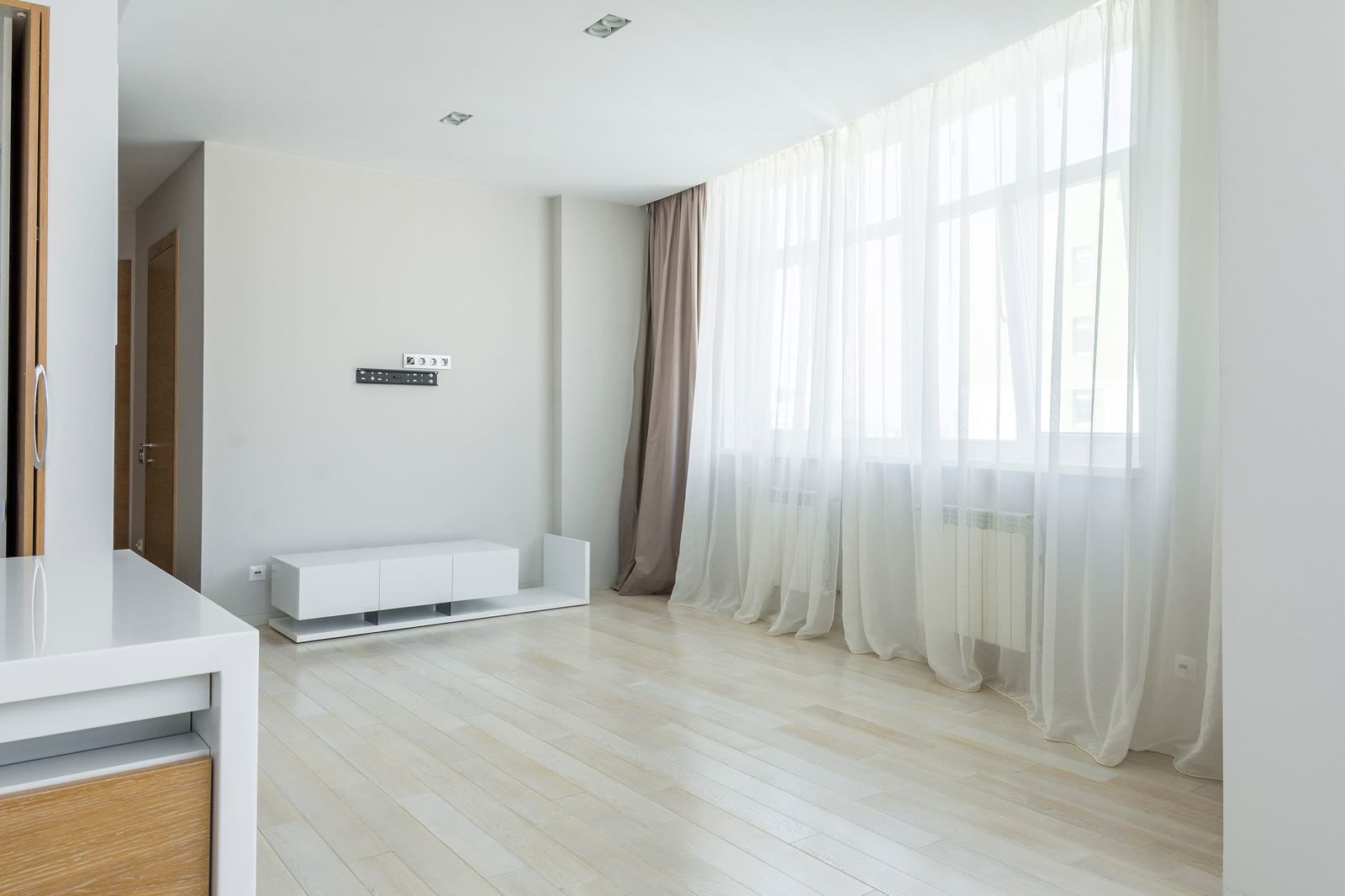
Choose the time
Airbnb advises shooting indoors when rooms get the most daylight, and outdoors in the golden hours: the 60 minutes after sunrise and before sunset [6]. In practice each room can have its own time. An east-facing living room is shot in the morning.
Avoid the sun shining straight into a window that will be in the photo. The gap between the window and the rest of the room is what blows out windows and darkens corners, and uneven light is the only one of the 12 attributes with a negative link to occupancy in the Zhang et al. study [1].
Daylight first, flash never
Turn the flash off. Open blinds, shutters and curtains [6]. From there, Airbnb itself gives two instructions: one page says to turn on the lights only if the photo is still too dark [6]; another says to open the blinds and turn on the lights [7]. It is your call, room by room.
Photographers are split too. With the lights off, daylight spreads evenly and colours stay clean. With the lights on, a room feels more welcoming, especially kitchens and bathrooms, as long as every bulb is the same colour [28]. This is practical advice: nobody has tested it against bookings.
Tidy as if it were the guest's first hour
Clean and declutter is Airbnb's first rule for photos, and the mistake it names is leaving random objects in view [6]. Shoot the home as the guest will find it: no emptier, no fuller. Removing your toothbrush is tidying; hiding a stain on the wall is not.
Checklist before you start
- Home clean: floors, surfaces, mirrors, glass.
- Beds made with the linen the guest will use.
- Personal items out of sight: family photos, post, toiletries, fridge magnets.
- Cables, chargers and remotes put away.
- Bins and brushes out of the frame.
- Blinds, shutters and curtains open.
- Dead bulbs replaced; bulbs of a different colour switched off.
- Flash off on the phone.
- Phone lens wiped with a soft cloth.
- A time with good light chosen for each room.
Wiping the lens is our advice, not a source's: a fingerprint on the lens makes the photo hazy, and colour clarity is the second-heaviest attribute in the Zhang et al. study [1].
04 — Chapter
Shooting with a phone: the basics
A phone held horizontal, upright and at the right height solves most flaws. The lens and the corner of the room do the rest.
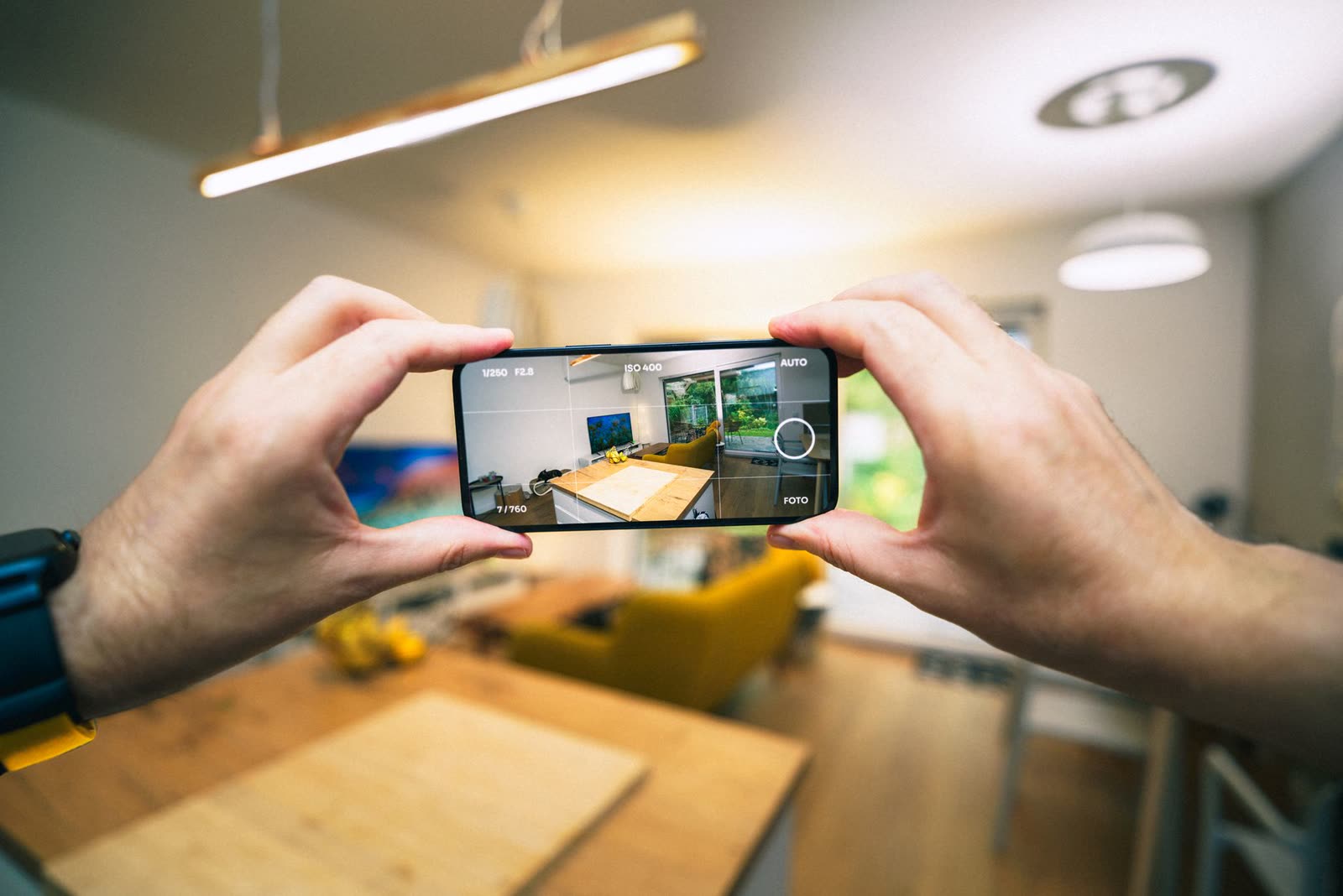
Set up the phone once
- 01
Turn on the grid and level
On iPhone: Settings, Camera, Grid and Level [21]. On recent Samsung Galaxy phones: Camera, Settings, Composition guide [24]. The grid helps you keep verticals straight; the level warns you when the phone is tilted.
- 02
Turn off the flash
Flash makes hard shadows and reflections. Airbnb asks for natural light with the flash off [6]; on iPhone the flash is switched off from the control above the frame [21].
- 03
Leave lens correction on
On iPhone, Lens Correction (Settings, Camera) adjusts ultra-wide photos for a more natural look, and is on by default on models that have it [22].
- 04
Leave HDR on automatic
HDR blends several exposures to keep detail in windows and shadows; on iPhone it is automatic [23]. Booking.com asks you to avoid excessive HDR [17]: the phone's automatic setting rarely is, but filter apps can be.
How to hold the phone
- 01
Horizontal, always
Both platforms show photos in landscape, and Airbnb crops them to squares in search [6, 8]. A vertical photo wastes half the space.
- 02
Upright, not tilted up
Airbnb asks you to shoot straight ahead, without tilting the lens up or down [6]. Photographers say the same in other words: every vertical line should stay vertical [27]. If the walls look like they are falling, the phone is tilted.
- 03
At chest height
Photographers' practical advice: start at about 1.2 to 1.5 m from the floor. In bedrooms, kitchens and bathrooms, drop to about 40 to 60 cm above the bed or counter, so the top surface shows rather than the underside of cupboards [25]. Booking.com gives 3 to 5 feet, about 0.9 to 1.5 m [17].
- 04
From the corner, two walls
The easiest framing shows two walls, with a corner near the centre [27]. It works most often in an ordinary room. Leave the third wall out so the room doesn't look boxed in.
- 05
Straight on, only if symmetric
Facing the back wall gives very clean photos but needs exact symmetry: a bed a few centimetres off centre spoils the shot [27]. It suits kitchens, bathrooms and details.
- 06
Subject in the middle
Airbnb asks for the subject in the centre because it crops photos to squares [6, 8]; Booking.com pre-crops galleries too [17]. Don't put the most important thing at the edge.
- 07
Tap to set the light
On iPhone, the exposure slider brightens or darkens the photo before you take it, and the value stays for the next shots [21]. If the window turns white, bring it down a little; if the room is dark, bring it up.
0.5× or 1×: where sources disagree
The ultra-wide lens (0.5×) fits more of the room in, and some guides recommend it for that. Airbnb asks you to avoid ultra-wide angles that make a space look bigger than it is [10, 11], and Booking.com lists extreme wide-angle and fisheye among things to avoid [17].
Photographers explain why: the stretching at the edges of a very wide lens can't be fixed afterwards; the only way to avoid it is a less wide lens [26]. So our order is: start at 1×, step back to the doorway, and only then think about 0.5×.
If you really must use 0.5×
- Phone perfectly upright: with this lens any tilt shows twice as much.
- Nothing important at the edges of the frame, where the stretch is worst.
- Lens correction on.
- Crop the edges a little afterwards.
- Check the room doesn't look bigger than it is.
How many photos per room
Airbnb asks for a mix of wide, mid-range and close-up shots [6], and suggests two to three photos per room [11]. That is also what the photographers in Airbnb's programme do: two to three per room [14]. Take more than you need; choose later.
05 — Chapter
Room by room
Every room has its typical mistake. Here is what to show in each one, and where most photos go wrong.
Living room
It is often the cover candidate, so give it more time. Shoot from the corner furthest from the window, with light coming in from the side, and show two walls [27]. If the living room has a view or opens onto a balcony, let the window into the frame, but not with the sun shining straight in.
In the living rooms we analysed, 59.4% of photos have leaning lines [32]. It is the room where people most often back into the wall and press 0.5×.
Bedroom
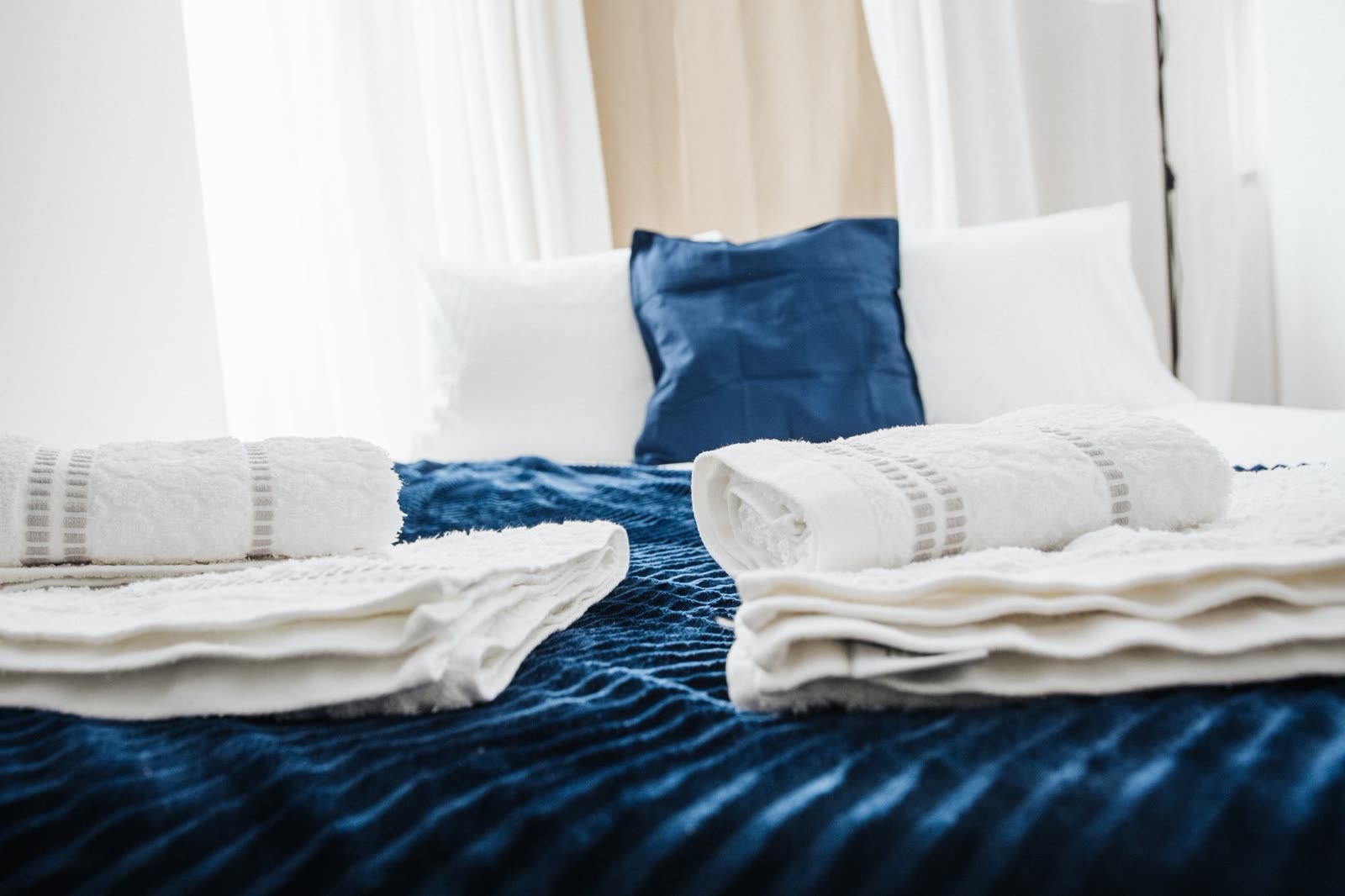
Bed made, no creases, with the linen the guest will use. Lower the phone to about 40 to 60 cm above the mattress, so you see the bed rather than the ceiling [25]. Shoot the whole bedroom at least once, from a corner; then, if you like, the bed up close.
Say in the caption what the photo doesn't show: bed size, floor, whether it has an en-suite bathroom [6]. In homes with several bedrooms, show each one.
Kitchen
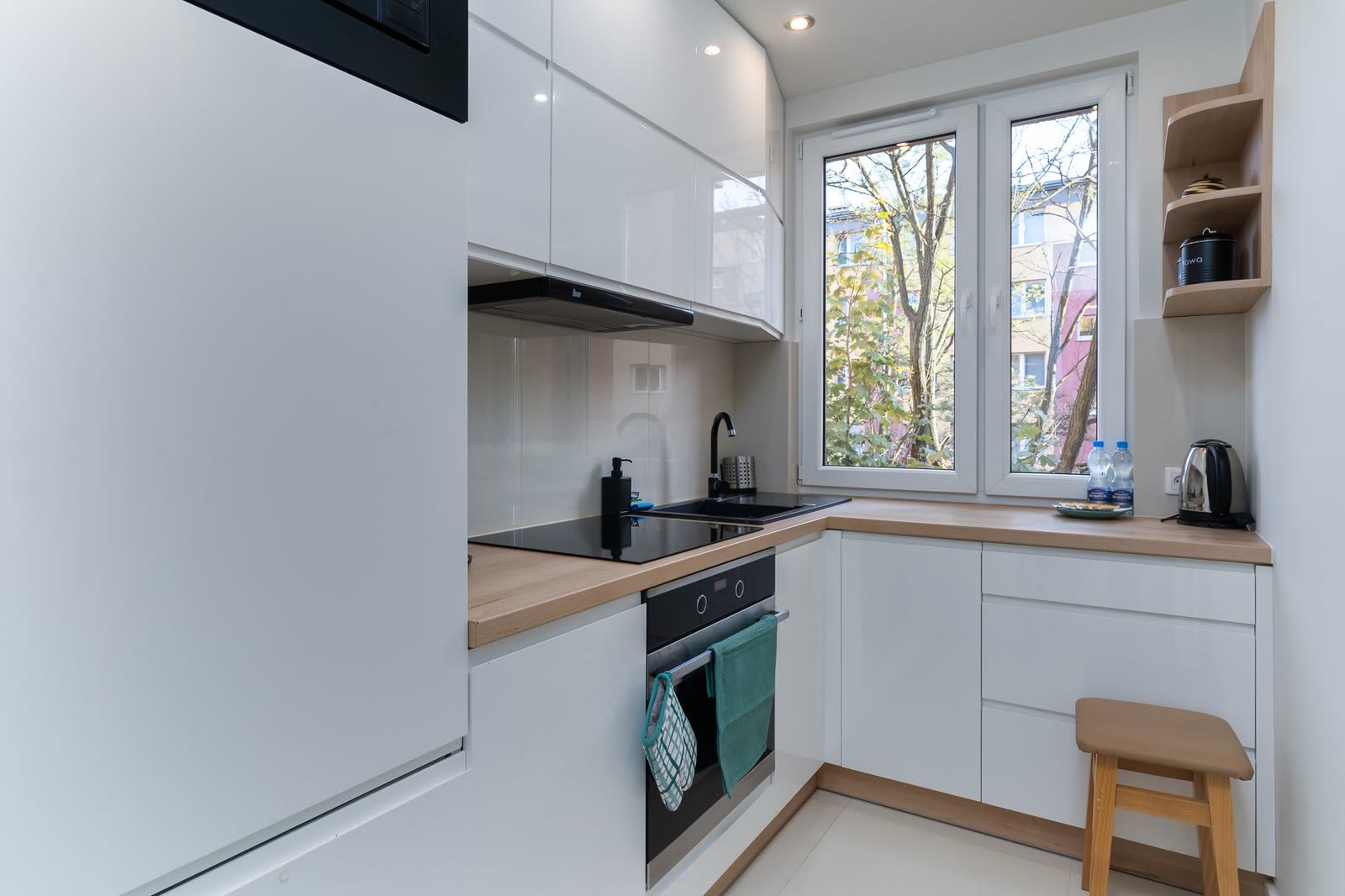
Clear counters, with one or two objects at most. Phone about 40 to 60 cm above the worktop [25]. Small, symmetric kitchens work straight on [27]; and in a kitchen the lights on usually help, as long as they are all the same colour [28].
Show the appliances the guest will use: oven, hob, coffee machine, dishwasher. And check they are ticked in the amenities list (see the table at the end of this chapter).
Bathroom
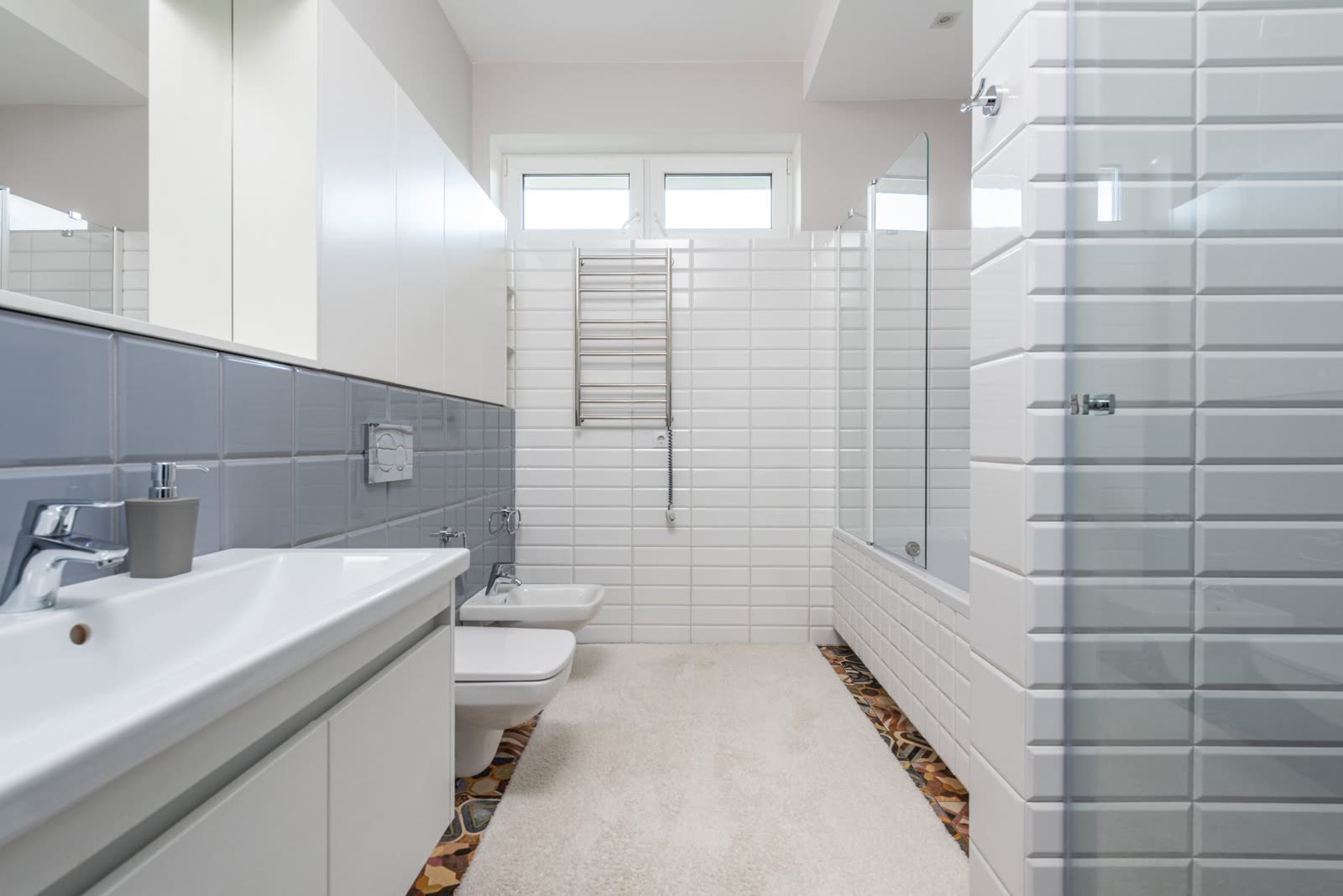
It is the hardest room: small, with mirrors and little light. Shoot from the doorway, phone upright, and make sure you don't appear in the mirror. Toilet lid down, towels smooth, personal bottles out of sight.
Booking.com asks for at least one photo of each bathroom and toilet [17]. In the bathrooms we analysed, 95.0% of photos have a flaw and the average score is 3.34, among the lowest [32].
Outside, balcony and view
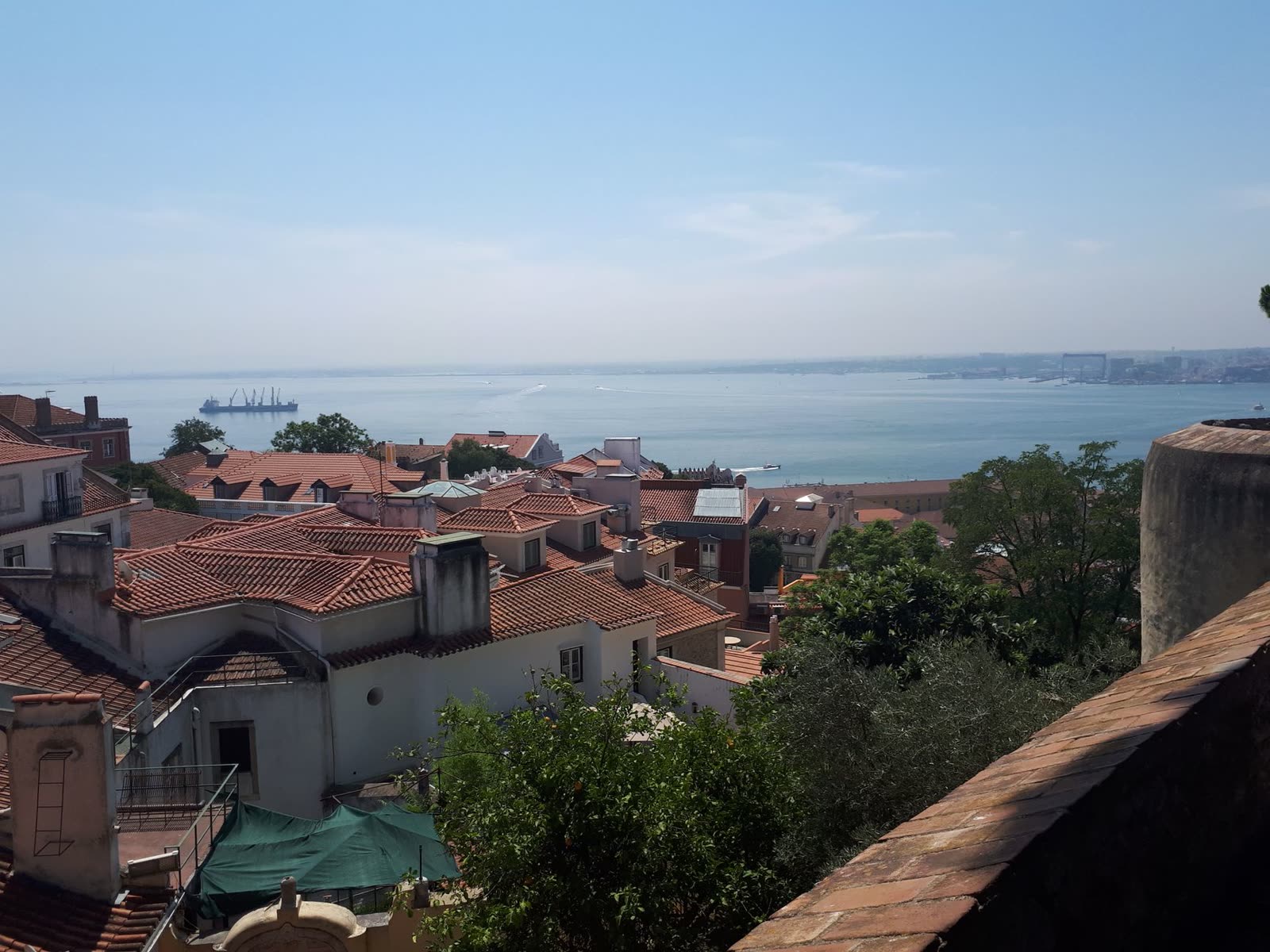
Shoot outside in the golden hours [6]. Airbnb's example is a garden: the whole garden, the pool, the patio with sun loungers and the gate latch [6]. In other words, the whole space and the details that matter to someone staying there.
The view is the photo that comes out best in our analysis: only 23.1% have leaning lines [32]. If the view is a strength, show it from the window or balcony with a little of the home in the frame, so it's clear where it is seen from.
Details and accessibility
Details (the coffee machine, a bookshelf, the keypad lock) help tell the story of the home between wide shots [6]. Don't overdo it: a detail doesn't replace the photo of the room.
Accessibility features have their own section on Airbnb, separate from the gallery, and Airbnb reviews each photo before showing it. It asks for at least one photo per feature, from several angles, with a tape measure in view for dimensions [15].
What the photos show and the list doesn't say
Search filters read the amenities list, not the photos. In 92.8% of the listings we analysed, the photos show amenities the host didn't tick: almost four per listing on average [32].
| Amenity visible but not ticked | Listings |
|---|---|
| Books and reading material | 32.2% |
| Garden view | 31.6% |
| Outdoor furniture | 30.5% |
| Dining table | 28.9% |
| Private patio or balcony | 20.6% |
| Oven | 17.1% |
| City skyline view | 16.8% |
| Sun loungers | 16.2% |
| Sea view | 16.1% |
| Room-darkening shades | 15.3% |
678 listings with a full analysis, Goodlight, Nov 2026. A vision model can see an amenity that isn't there: always check [32].
06 — Chapter
The gallery: cover, order and captions
Good photos in a poor order are wasted. The cover and the first five are what almost everyone sees.
The cover
On Airbnb the first photo is the large image shown in search, and the first five are the most important because they are shown prominently on the listing [5]. The cover is the photo that weighs most in the studies [3]. Airbnb says listing quality, photos included, is among the factors that most influence where a listing appears in search, without saying how much it weighs [16].
The studies disagree on whether the cover should be the living room or the bedroom [3, 4]. Our rule: put your strongest space on the cover (the living room, or a view or terrace that is the reason to choose the home) and compare it with your best bedroom. Never a small kitchen, a bathroom, a hallway or a floor plan.
- Already the cover22.0%
- In 2nd to 5th place27.3%
- In 6th to 10th place17.8%
- In 11th place or later32.9%
Position, in the current gallery, of the photo our analysis picked as the cover. 678 listings analysed, Goodlight, Nov 2026 [32].
The first five
Use the first five for five different spaces: your strongest space, the main bedroom, the kitchen, the bathroom and the outside or view. This is practical advice, not a measured effect. Three photos of the same living room in the first five show less of the home, not more.
On Airbnb you can only reorder the five cover photos: in All photos, drag them. Changes can take up to 30 minutes to appear [5].
Order only helps if the photos are good. The photo company's study found that reordering weak photos on its own barely moved revenue [33]. Quality first, order second.
Airbnb's photo tour
Airbnb sorts new photos into rooms with AI and builds a photo tour. Each room needs at least one photo to appear in the tour; a room without a photo can be added or removed [5]. Check that every photo sits in the right room.
How many photos
Nobody has published an ideal number. Airbnb asks for at least 5 to publish [8] and gives no maximum; its photographers deliver between 15 and 25 photos, depending on the size of the home [14]. Booking.com asks for at least 10, four per room or unit and one per bathroom [17].
In the Zhang et al. study, the number of photos was associated with higher occupancy for the same listing over time; the share of photos of each room had no link [1]. In our data the median listing has 30 photos [32].
- Under 10 photos8.4%
- 10 to 1910.5%
- 20 to 2914.3%
- 30 to 3915.5%
- 40 or more20.8%
Airbnb listings in Portugal with at least 5 reviews, Goodlight, Nov 2026 [32]. Bigger homes have more rooms to photograph: this is an association, not an effect of adding photos.
The practical rule: show every room and don't repeat angles. In 77.9% of the galleries we analysed there are repeated photos, the same angle two or three times [32]. Deleting the repeats takes nothing away from the listing.
Captions
Airbnb asks for captions that say what the photo doesn't show: how many people the table seats, which floor the bedroom is on, whether it has an en-suite bathroom, the bed size [6]. The cover caption is optional [5].
Captions that add information
Bedroom 2, first floor: two single beds that can be pushed together.
The table extends to seat six.
En-suite bathroom off the main bedroom, with a shower.
West-facing balcony with a table for two.
In 59.7% of the Airbnb listings we collected there isn't a single caption [32]. In our data the share of captioned photos doesn't clearly separate the best-rated listings from the rest [32]: write captions to inform, not in the hope of an effect.
Airbnb and Booking.com side by side
| Rule | Airbnb | Booking.com |
|---|---|---|
| Orientation | Landscape [6] | Landscape [17] |
| Minimum size | Three versions on Airbnb's pages: 1200×800 [6], 1024×683 [5, 7] and 800 by 1200 [9] | 2048×1080, preferably 4000×3000 [17] |
| File | Up to about 10 MB [6] | JPEG or BMP; one page says 1.3 MB at most [18] |
| Minimum photos | 5 to publish [8] | 10 [17] |
| Per room | At least 1 to appear in the tour [5] | 4 per room or unit, 1 per bathroom [17] |
Rules read on the official pages on 12 November 2026. When in doubt about size, use the larger one.
| Gallery | Airbnb | Booking.com |
|---|---|---|
| Cover | 1st photo, the search image [5] | You can set a preferred main photo [18] |
| Order | You reorder the 5 cover photos [5] | Automatic ordering on by default; can be turned off [18] |
| Organisation | Automatic sorting into rooms [5] | Photo tags, such as living room [18] |
| Cropping | Square in search [8] | Galleries pre-cropped [17] |
| Time to appear | Up to 30 minutes [5] | Up to 48 hours [18] |
07 — Chapter
Editing honestly
Fixing the light and straightening a wall is allowed. Hiding a flaw or adding what isn't there is not, on either platform or under the law.
What you can do
Airbnb lists the edits: brightness, contrast and highlights (the phone's auto button will do), and crop, straighten or rotate [6]. The iPhone Photos app also adjusts horizontal and vertical perspective [21]. Put together, honest phone editing looks like this.
- Straighten the verticals and correct the perspective.
- Set the brightness and recover a window that is too bright.
- Correct the white balance to remove a yellow or blue cast.
- Crop to landscape.
- Remove what is temporary and won't be there at check-in, such as a cable or a personal item.
What you can't do
Photos better than the home cost you later
The second part of Zhang's dissertation models what happens when photos promise more than the home delivers: more bookings at first, then disappointed guests, worse reviews and less demand later [1]. It is a model, not an experiment, but the logic is every host's: a review compares the home with the photos.
40.1%
of listings: at least one guest found the home worse than the photos
39.6%
at least one guest found it better than the photos
93.2%
guests praised something no photo shows
369 listings, themes written by a model from the 20 newest reviews of each; picked for outreach, not at random. Goodlight, Nov 2026 [32].
The goal isn't the prettiest possible photo. It is the photo that shows the home on a good day, the way the guest will find it.
AI and the duty to disclose
Since 2 August 2026 the transparency rules of the EU AI Act apply [29, 30]. Anyone who uses an AI system to generate or manipulate an image that resembles a real place, and could pass as authentic, must say that it was generated or manipulated [29]. The law exempts ordinary editing that doesn't substantially alter the original image, but that exemption is addressed to the makers of the tools [29].
Our recommendation, which is a reading and not legal advice: always keep the originals; if you used AI to change anything beyond light, colour and framing, say so in the caption; and never use generated edits to make a windowless room look full of daylight.
Examples of a caption label
Edited photo: light and colour corrected.
Furniture added digitally: the room is let unfurnished.
Sky replaced in editing.
08 — Chapter
The one-page checklist
Everything in this guide, in the order you'll need it. Print this page and take it with you on photo day.
Before
- Home clean and tidy, as on the guest's arrival.
- Personal items, cables and bins out of sight.
- Beds made, towels smooth, toilet lid down.
- A time with good light chosen for each room; outside in the golden hours.
- Blinds and curtains open; bulbs of a different colour switched off.
- Lens wiped; grid and level on; flash off.
While shooting
- Phone horizontal.
- Phone upright: verticals parallel to the grid lines.
- At chest height; lower by beds and counters.
- From the corner, two walls; straight on only when everything is symmetric.
- 1× first; step back to the doorway before 0.5×.
- Subject in the centre of the frame.
- No sun straight into the window; exposure set on screen.
- Two to three photos per room: wide, mid and detail.
- Every bedroom, every bathroom, the kitchen, the living room, the outside and the view.
In the gallery
- Cover: your strongest space, compared with your best bedroom.
- First five: five different spaces.
- Repeated photos deleted.
- On Airbnb, every photo in the right room of the photo tour.
- Captions with what the photo doesn't show: beds, floor, capacity.
- Amenities visible in the photos ticked in the list.
- Original files from the phone, not WhatsApp copies.
- Booking.com: at least 10 photos, four per unit, one per bathroom.
When editing
- Only light, colour, perspective and cropping.
- Nothing hidden, nothing added.
- Rooms at their real size.
- Originals kept.
- Any AI change beyond light and colour stated in the caption.
How this was made
Our data comes from the Goodlight database, collected in October and November 2026. The photo-by-photo audit covers 19,964 photos from 681 Airbnb and Booking.com listings in Portugal; a vision model (Claude Sonnet) looked at every photo with the same brief: room type, a 1-to-5 score, flaws and contents. The gallery analysis (cover, repeats, amenities) covers 678 of those listings.
The 681 audited listings are not a random sample: they were picked for outreach, many because the automatic pre-screen flagged weak photos. The audit numbers describe these listings, not the market. The automatic pre-screen, without AI, measured the brightness, fine detail and size of 279,906 photos from 7,787 listings; the town chart uses 4,938 Airbnb listings from nine towns and leaves out the Évora and Guimarães runs, which returned listings from across the country.
The numbers on photo count, captions and Guest Favourites come from 10,986 Airbnb listings (8,577 with at least 5 reviews) collected in about 40 towns; some runs used search filters (entire home, at least €50 a night). The review themes come from 369 listings, using the 20 newest reviews of each, summarised by a model. All of these are associations in a November 2026 snapshot, not causes. A vision model makes mistakes too: it can see an amenity that isn't there or count two similar photos as repeats. We show no individual listing, host or guest.
The Airbnb, Booking.com, Apple and Samsung pages were read on 12 November 2026; platforms change their rules without notice, so check before you upload. Zhang et al.'s per-attribute numbers come from the 2019 version of the study (the doctoral dissertation), because the final journal text was not accessible. We did not confirm Li et al.'s sample size or read He et al.'s full text. Photographers' advice is craft practice: none of it has been tested against bookings.
Sources
- [1]academicZhang, S. (2019). Doctoral dissertation, Carnegie Mellon University: chapters “What makes a good image?” and “Do lower-quality images lead to greater demand on Airbnb?”. Per-attribute numbers from this version.https://www.cmu.edu/sites/default/files/cmu-tepper-site-files/2025-06/2019-business-technologies-zhang-dissertation.pdf
- [2]academicZhang, S., Lee, D., Singh, P. V., Srinivasan, K. (2022). What makes a good image? Airbnb demand analytics leveraging interpretable image features. Management Science 68(8): 5644–5666.https://doi.org/10.1287/mnsc.2021.4175
- [3]academicLi, H., Simchi-Levi, D., Wu, M. X., Zhu, W. (2023). Estimating and exploiting the impact of photo layout: a structural approach. Management Science 69(9): 5209–5233.https://ideas.repec.org/a/inm/ormnsc/v69y2023i9p5209-5233.html
- [4]academicHe, J., Li, B., Wang, X. S. (2023). Image features and demand in the sharing economy: a study of Airbnb. International Journal of Research in Marketing 40(4): 760–780.https://ideas.repec.org/a/eee/ijrema/v40y2023i4p760-780.html
- [5]officialAirbnb Help Centre, article 477: Setting up a photo tour for your home listing.https://www.airbnb.com/help/article/477
- [6]officialAirbnb Resource Center: How to take great photos for your listing (Jun 2024, updated Nov 2024).https://www.airbnb.com/resources/hosting-homes/a/how-to-take-great-photos-for-your-listing-687
- [7]officialAirbnb Help Centre, article 746: Taking great photos of your listing.https://www.airbnb.com/help/article/746
- [8]officialAirbnb Resource Center: How to add the best photos of your space (Oct 2025).https://www.airbnb.com/resources/hosting-homes/a/selecting-the-best-photos-of-your-space-367
- [9]officialAirbnb Resource Center: How to become a Superhost (article 702).
- [10]officialAirbnb Resource Center: Setting clear expectations with every guest (Feb 2023).https://www.airbnb.com/resources/hosting-homes/a/setting-clear-expectations-with-every-guest-571
- [11]officialAirbnb Resource Center: Offering a 5-star stay (Feb 2023).https://www.airbnb.com/resources/hosting-homes/a/offering-a-5-star-stay-568
- [12]officialAirbnb Help Centre, article 2895: Ground rules for home hosts.https://www.airbnb.com/help/article/2895
- [13]officialAirbnb Help Centre, article 546: Airbnb's Content Policy.https://www.airbnb.com/help/article/546
- [14]officialAirbnb professional photography programme (programme page, 2024–25 data) and Help Centre article 297.https://www.airbnb.com/e/pro-photography
- [15]officialAirbnb Resource Center: How to photograph accessibility features (Sep 2020, updated Dec 2024).https://www.airbnb.com/resources/hosting-homes/a/how-to-photograph-accessibility-features-30
- [16]officialAirbnb Help Centre, article 39: How search results work.https://www.airbnb.com/help/article/39
- [17]officialBooking.com Partner Help: Understanding photo requirements for your property (2026).https://partner.booking.com/en-us/help/property-guest-experience/property-page/understanding-photo-requirements-your-property
- [18]officialBooking.com Partner Help: Uploading, deleting, reordering and editing photos (2026).https://partner.booking.com/en-us/help/registration-getting-started/going-live/uploading-deleting-reordering-and-editing-photos
- [19]officialBooking.com Partner Help: Everything about quality ratings, FAQs (2026).https://partner.booking.com/en-us/help/property-page/general-info/everything-about-quality-ratings-faqs
- [20]officialBooking.com, Content guidelines.https://www.booking.com/content-moderation-policy/content-guidelines.en-gb.html
- [21]officialApple, iPhone User Guide: Use iPhone camera tools (2026).https://support.apple.com/guide/iphone/use-camera-tools-iph3dc593597/ios
- [22]officialApple, iPhone User Guide: Change advanced camera settings (2026).https://support.apple.com/guide/iphone/change-advanced-camera-settings-iphb362b394e/ios
- [23]officialApple, iPhone User Guide: Adjust HDR camera settings (2026).https://support.apple.com/guide/iphone/adjust-hdr-camera-settings-iph2cafe2ebc/ios
- [24]officialSamsung support: Composition guide feature in Galaxy devices (Sep 2026).https://www.samsung.com/in/support/mobile-devices/composition-guide-feature-in-galaxy-devices/
- [25]practitionerPhotography for Real Estate: camera height for interior photography (Jan 2021).https://photographyforrealestate.net/?p=22181
- [26]practitionerPhotography for Real Estate: Perspective distortion in real estate photography (2011).https://photographyforrealestate.net/perspective-distortion-in-real-estate-photography/
- [27]practitionerImprove Photography: one-, two- and three-point compositions.https://improvephotography.com/?p=47853
- [28]practitionerPhotography for Real Estate: Do you shoot with interior lights on or off? (Dec 2018).https://photographyforrealestate.net/do-you-shoot-with-interior-lights-on-or-off-2/
- [29]officialRegulation (EU) 2024/1689 (Artificial Intelligence Act), Articles 3(60) and 50.https://eur-lex.europa.eu/legal-content/EN/TXT/HTML/?uri=OJ:L_202401689
- [30]secondaryGoodwin (law firm): EU AI Act transparency obligations now in force (Aug 2026).https://www.goodwinlaw.com/en/insights/publications/2026/08/alerts-technology-dpc-eu-ai-act-transparency-obligations-now-in-force
- [31]officialTurismo de Portugal, Guia Técnico do Alojamento Local (technical guide to local accommodation, Jan 2025).https://business.turismodeportugal.pt/SiteCollectionDocuments/alojamento-local/guia-alojamento-local-jan-2025.pdf
- [32]Goodlight dataGoodlight, own database: audit of 19,964 photos from 681 listings, automatic pre-screen of 279,906 photos from 7,787 listings, data on 10,986 Airbnb listings and review themes from 369 listings, Portugal, Oct–Nov 2026.
- [33]company dataSurge (a US rental manager that sells photo shoots): photo study of 3,103 Airbnb listings (2026).https://www.gowithsurge.com/blog/airbnb-photo-study
Goodlight
Want to see what we'd find in your listing?
Goodlight looks through your listing's photos and fixes two of them for free, no strings attached.
www.bulholabs.com/goodlight?lang=en
Stock photographs: Pexels
- Lisbon rooftops above the river — Ndumiso Zimu
- Empty room lit by large windows — Max Vakhtbovych
- Two hands photographing a living room with a phone — Jakub Zerdzicki
- Made bed with folded towels — Jaycee300s
- Small bright kitchen with a window — Mateusz Pielech
- Bright, tidy bathroom — Max Vakhtbovych
- View over rooftops and the river — Hyeda Picture
Published by Bulho Labs · Renato Mendes - Sociedade Unipessoal, Lda. · Viana do Castelo, Portugal · renato@bulholabs.com